Automation
The Automation page shows everything cli_debrid does on its own schedule, and lets you turn each part on or off or run it right away. Open it from Main → Automation.
It replaces the old Task Manager.
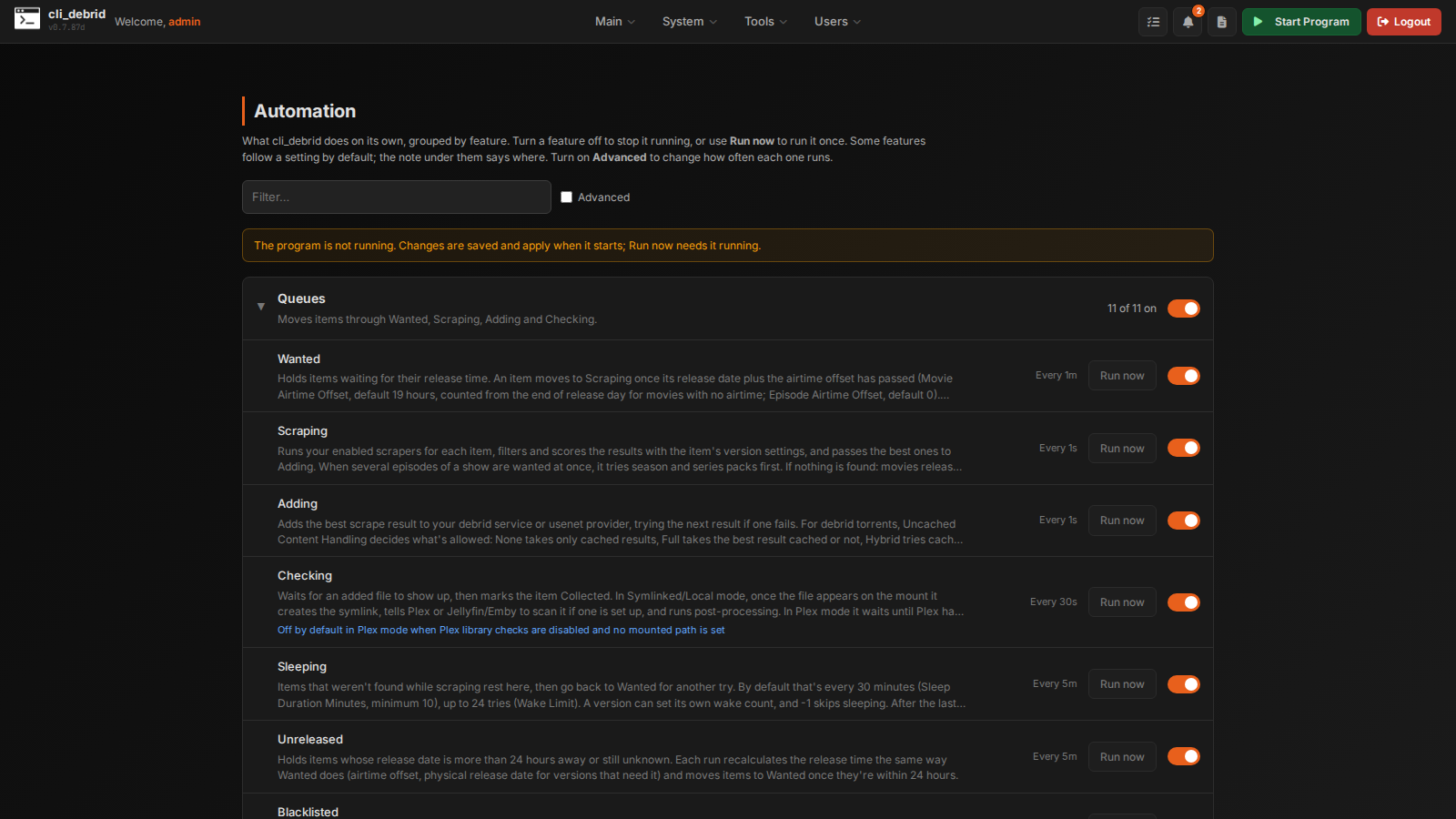
How the page works
Tasks are grouped by what they're for. Each group has a short description and a switch that turns the whole group on or off.
| Control | What it does |
|---|---|
| Group switch | Turns every task in the group on or off. Turning off the Queues group asks first, because it stops cli_debrid from scraping and adding anything. |
| Task switch | Turns one task on or off. |
| Run now | Runs the task immediately, whether or not it's switched on. |
| Filter… | Shows only the tasks whose name matches what you type. |
| Advanced | Shows each task's interval (in seconds, editable), its internal name, and the internal and one-time tasks that are hidden by default. |
| Reset all to defaults | Puts every task and interval back to its default. |
Changes save as soon as you make them. A changed tag marks a task you switched away from its default, and a custom interval is highlighted in Advanced view.
Tasks marked Deletes or changes data ask for confirmation before you turn them on or run them. Read their description first.
Some tasks follow a setting instead of their own switch (for example, overlay tasks follow Enable overlays on the Overlays page). Their description says where that setting is.
Groups
| Group | What it covers |
|---|---|
| Queues | Moves items through Wanted, Scraping, Adding, Checking, Sleeping, Unreleased, Blacklisted, Upgrading and the other queues. |
| Content Sources | One task per content source, named after it. They run every 15 minutes by default (Collected: daily); change a source's interval in Advanced view. |
| Plex & Media Server | Keeps your media server and the library in step: checking for new files, scans, removals, labels, collections, overlays and Plex Report Issue. |
| Usenet & Mount | Watches usenet downloads, repairs broken files and syncs with cli_mount. |
| Metadata | Keeps release dates, titles, IDs and show status up to date. |
| Library & Upgrades | Database backups, library size, library maintenance, media analysis, subtitles, debrid account backup and cleanup, and the Upgrade Hub. |
| System | Notifications, health checks and housekeeping. Most of these are internal and only shown in Advanced view. |
| One-time fixes | Repairs you run once by hand, such as backfills and purging the not-wanted lists. |
Notable tasks
| Task | Group | Default | Notes |
|---|---|---|---|
| Check Plex for new files | Plex & Media Server | Every minute | On when Plex checks are in use (Settings → Required). Marks Checking items Collected once they're found. |
| Plex full library scan | Plex & Media Server | Every 30 minutes | On in Plex file management mode. |
| Pick up files added outside cli_debrid | Plex & Media Server | Every 15 minutes | On with Scan Mount For External Adds (Settings → Required → File Management). |
| Replace items reported in Plex | Plex & Media Server | Every 30 seconds | Follows Settings → Media Server → Plex Reported Issues. |
| Poster overlays / Poster overlay cleanup | Plex & Media Server | Hourly / daily | Follow Enable overlays on the Overlays page. |
| Watch usenet downloads | Usenet & Mount | Every 10 seconds | Follows NZB downloads in the Adding queue: a finished job moves to Checking, and a failed or timed-out one goes back to Wanted with that release marked not wanted. It also repairs files cli_mount reports as broken within about 5 minutes. |
| Scheduled repair scan | Usenet & Mount | Monthly | Asks cli_mount to re-check every usenet file and repairs the broken ones. It catches old files whose articles have expired; everyday repairs don't need it. |
| Repair broken debrid files | Usenet & Mount | Every 6 hours | Asks cli_mount for a health scan of its debrid torrents. A broken file's item goes back to Wanted; a torrent is deleted only when nothing else (such as the rest of a season pack) still uses it. |
| Library maintenance | Library & Upgrades | Off, every 12 hours | Deletes or changes data. Checks the library against the files on disk: broken and orphaned symlinks in Symlink mode, missing files on the mount in Plex mode. Broken items go back to Wanted if they were the last copy of their version, otherwise they're deleted. It needs cli_debrid to see your mount. |
| Clean up debrid account | Library & Upgrades | Off, daily | Deletes or changes data. Removes errored torrents, duplicates of the same torrent (keeping the best copy) and torrents stuck at 0% from your debrid account. Each rule can be switched off in its settings. |
| Upgrade Hub scan / Upgrade Hub auto-queue | Library & Upgrades | Off, daily | See Upgrade Hub. |
| Slow down under high system load | System | On in limited installs | Applies the load limits under Settings → Performance & Logging → Performance & Monitoring. |
Notes
- Turning a queue off now stays off after a restart.
- A setting that turns a feature on (overlays, Plex mode, and so on) still turns its tasks on, even after you've used this page. Only tasks you changed by hand are remembered.
- To run a task from a script or another page, use Run now here, or the Run Task Manually card under Tools → Queues & tasks.