Discover
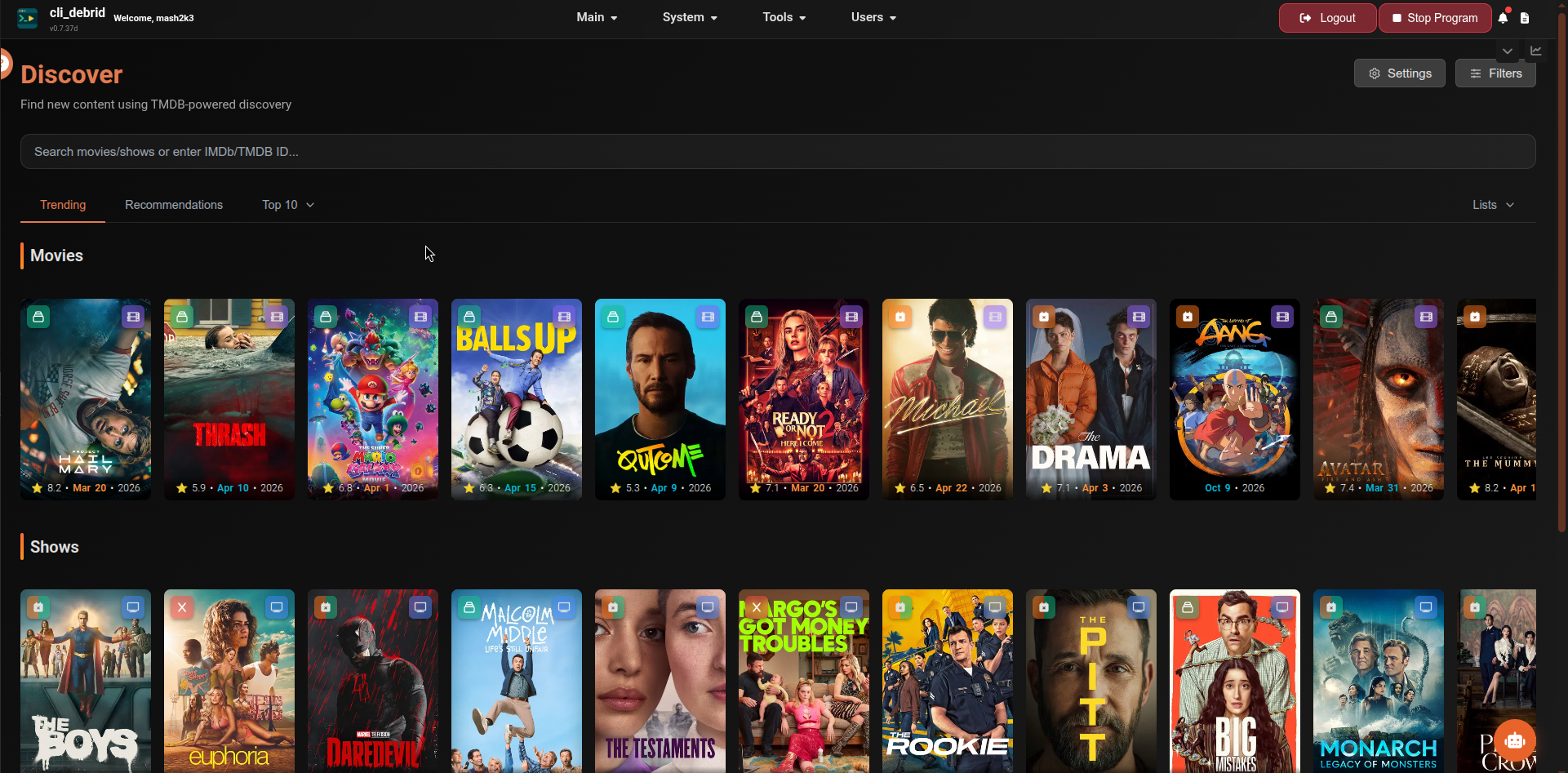
The Discover page lets you browse and search TMDB for movies and TV shows to add to your library — with powerful filtering, curated charts, and content source integration.
TMDB API key required
Discover requires a TMDB API key configured in Settings → Additional Settings → TMDB.
Search
Type any title — or paste an IMDb/TMDB ID — into the search bar to search TMDB directly. Click the X to clear the search and return to browsing mode.
Click any result to open the detail page.
Content tabs
| Tab | Description |
|---|---|
| Trending | Currently trending movies, shows, and anime — split into subcategories |
| Recommendations | Personalised suggestions based on your Trakt account. Requires Trakt to be connected. |
| Top 10 | FlixPatrol top 10 charts per streaming platform — no API key required. Supports weekly aggregation mode with 7-day scoring and automatic region-to-global fallback when regional data is unavailable |
| Lists | Curated MDBList collections — requires MDBList API key in settings. 40+ built-in curated sources including streaming originals, franchise collections, and certification-based lists |
Advanced filters
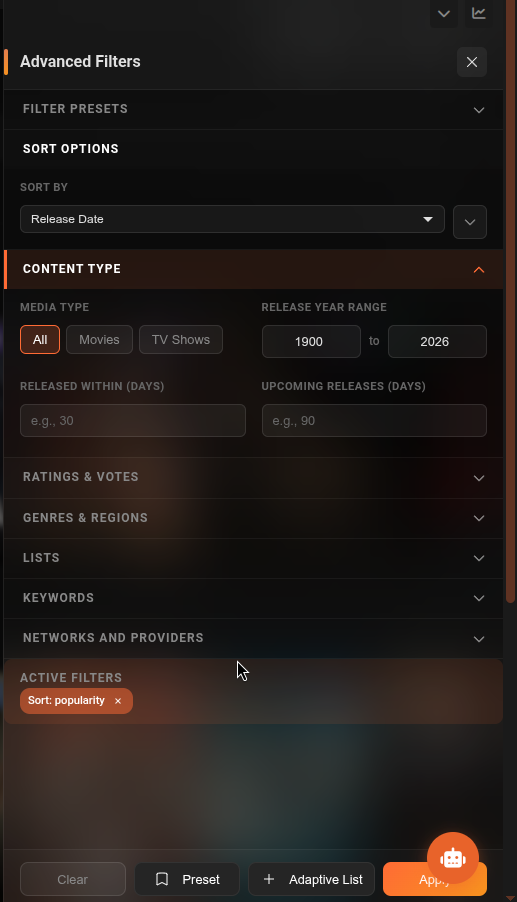
Click the Filters button to open the filter drawer. An active filter chip display shows which filters are applied. Use Clear to reset all filters.
Sort
| Option | Description |
|---|---|
| Sort By | Popularity, Rating, Vote Count, Release Date, Title, Runtime |
| Sort Order | Toggle ascending / descending |
Content type
| Filter | Description |
|---|---|
| Media Type | All, Movies, TV Shows |
| Release Year | From / To year range |
| Released Within (days) | Only show items released in the last N days |
| Upcoming Releases (days) | Only show items releasing in the next N days |
Ratings & votes
| Filter | Description |
|---|---|
| TMDB Rating | Min/max range slider (0–10) |
| TMDB Vote Count | Minimum votes — filters out obscure or unrated items |
Genres & regions
| Filter | Description |
|---|---|
| Genres | Multi-select with Match All option |
| Language | Original language (100+ options) |
| Country | Country of origin (200+ options) |
| Watch Region | Country to check streaming availability for |
| Certification | Age rating range (G, PG, PG-13, R, etc.) |
Platforms & networks
| Filter | Description |
|---|---|
| Streaming Provider | Netflix, Disney+, HBO, etc. — combined with Watch Region |
| TV Network | HBO, BBC, AMC, etc. (TV shows only) |
| Production Company | Filter by studio or production company |
| Runtime (minutes) | Min/max runtime range |
Keywords & title
| Filter | Description |
|---|---|
| Keywords | Filter by TMDB keywords/topics |
| Title Filter | Client-side text or regex filter applied to displayed results |
| Include Video Results | Include video-type entries in results |
Lists
Filter results to a specific MDBList or saved list using the Select List chips input.
Filter presets
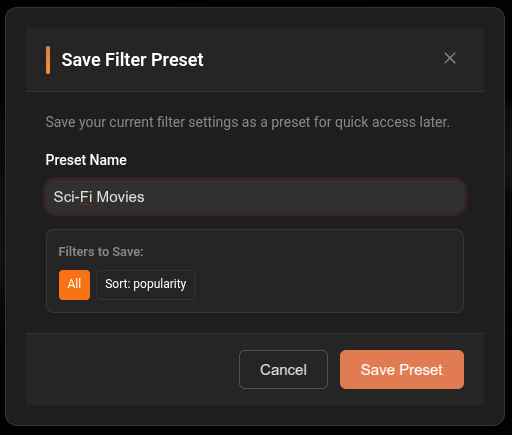
Save your current filter configuration as a named preset to reuse later.
- Configure your filters
- Click Preset in the filter drawer
- Name the preset and save
- Load or delete presets from the Load Preset dropdown
Adaptive Lists
The Adaptive List button in the filter drawer saves your current filters as a live Content Source. cli_debrid will automatically find and add content matching those filters on every processing cycle.
Personal Lists (Trakt)
The Lists tab in the sidebar includes a Personal section when Trakt is connected, showing two categories:
My Lists
Browse and add content from your personal Trakt lists. Each list is fetched on demand and cached for 24 hours. If the list has not changed since the last fetch (detected via Trakt's updated_at timestamp), the cached version is returned immediately — no API call needed.
Special Lists
Trakt-curated charts available without creating a personal list:
| List | Description |
|---|---|
| Trending | Currently trending movies and shows |
| Popular | All-time most popular |
| Favorited | Most favorited this week |
| Played | Most played this week |
| Watched | Most watched this week |
| Collected | Most collected this week |
| Anticipated | Most anticipated upcoming titles |
| Box Office | Current US box office (movies only) |
| Recommendations | Personalised Trakt recommendations |
Special lists are cached for 24 hours using a content hash — if the list content hasn't changed the cached results are returned without hitting TMDB for enrichment. When content changes, only then are fresh TMDB lookups made.
Detail page
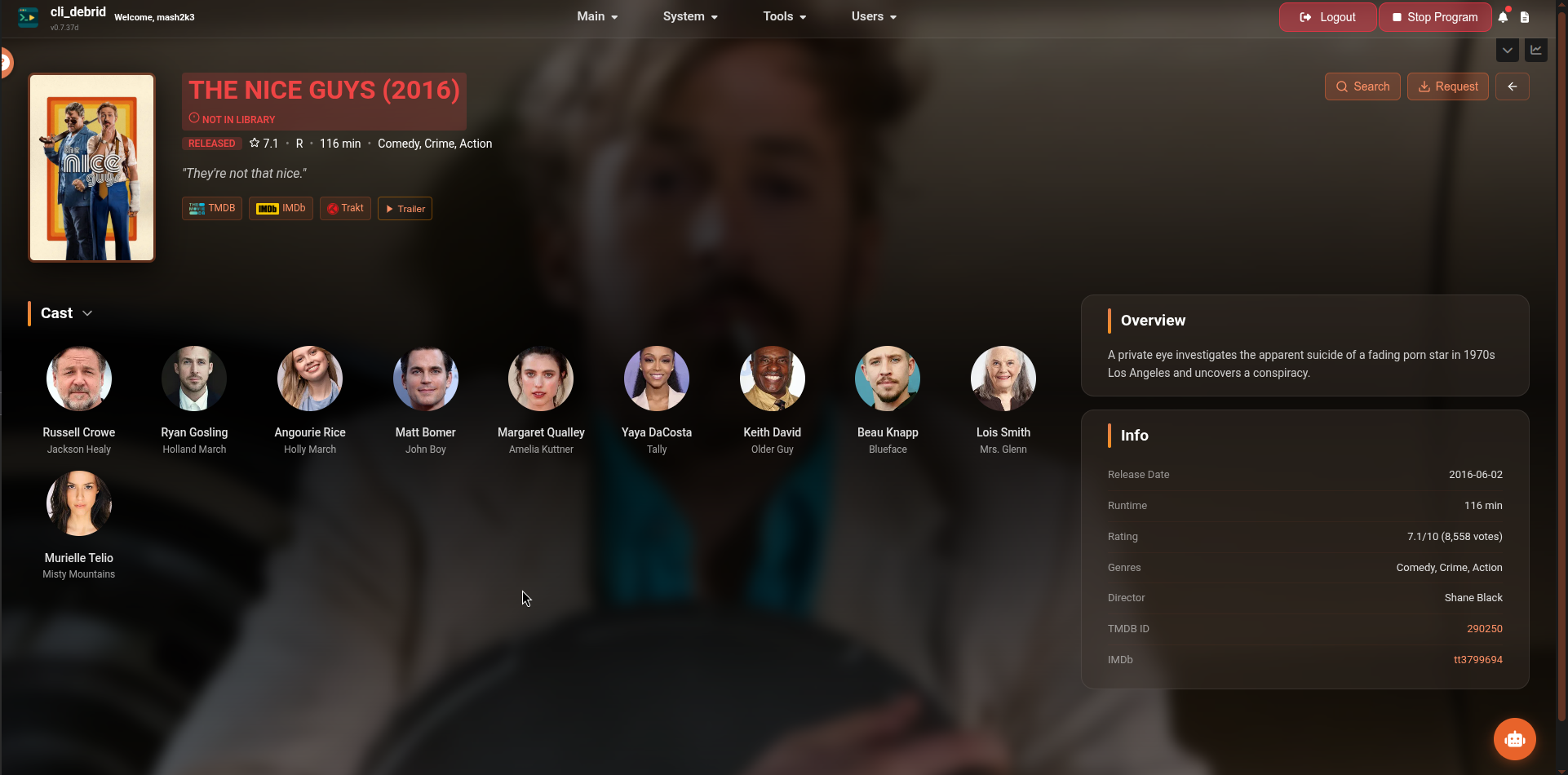
Clicking any item opens its detail page showing:
- Poster, full backdrop, title, rating, certification, runtime, genres, tagline
- Overview / synopsis
- Full cast (collapsible)
- Links to TMDB, TVDB, IMDb, and Trakt
- Trailer button (when available)
- "Not in Library" badge if not yet collected
TV shows additionally display:
- Season list with per-season collection progress (e.g.
7 / 10 episodes collected) - Per-episode status indicators — collected, wanted, missing, unreleased
- File counts per episode where files exist
Actions
| Button | Shown for | Description |
|---|---|---|
| Search | Movies | Manually trigger a scrape for this movie |
| Request | All | Select versions and add to the Wanted queue |
| Season Packs | TV shows | Search for complete series or multi-season packs |
| Back | All | Return to the Discover page |
Clicking Request opens a version selection modal — check the versions you want and click Request. The item moves to the Wanted queue immediately.
For TV shows, each season header and episode row includes an orange magnet icon button that opens Magnet Assign pre-filled with the correct show, season, and episode.