Jackett
Jackett acts as a proxy between CLI_Debrid and hundreds of private and public torrent trackers. If a tracker isn't supported by Torrentio or MediaFusion, Jackett is how you add it.
Prerequisites
- Jackett installed and running on your network
- At least one tracker configured in Jackett
Install Jackett
Search for Jackett in Community Applications and install the lscr.io/linuxserver/jackett template.
Access Jackett at http://YOUR_SERVER_IP:9117.
Configure Jackett
- Open the Jackett web UI
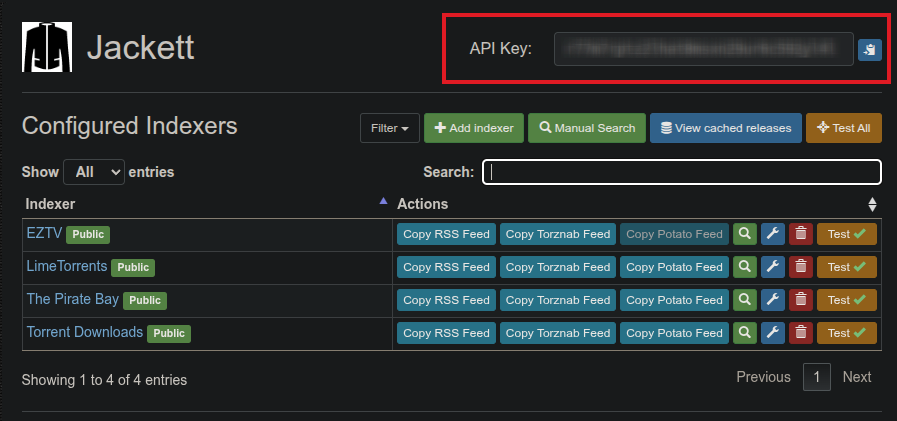
- Click Add Indexer and add the trackers you want
-
Note your API Key — shown at the top right of the Jackett dashboard
Add Jackett to CLI_Debrid
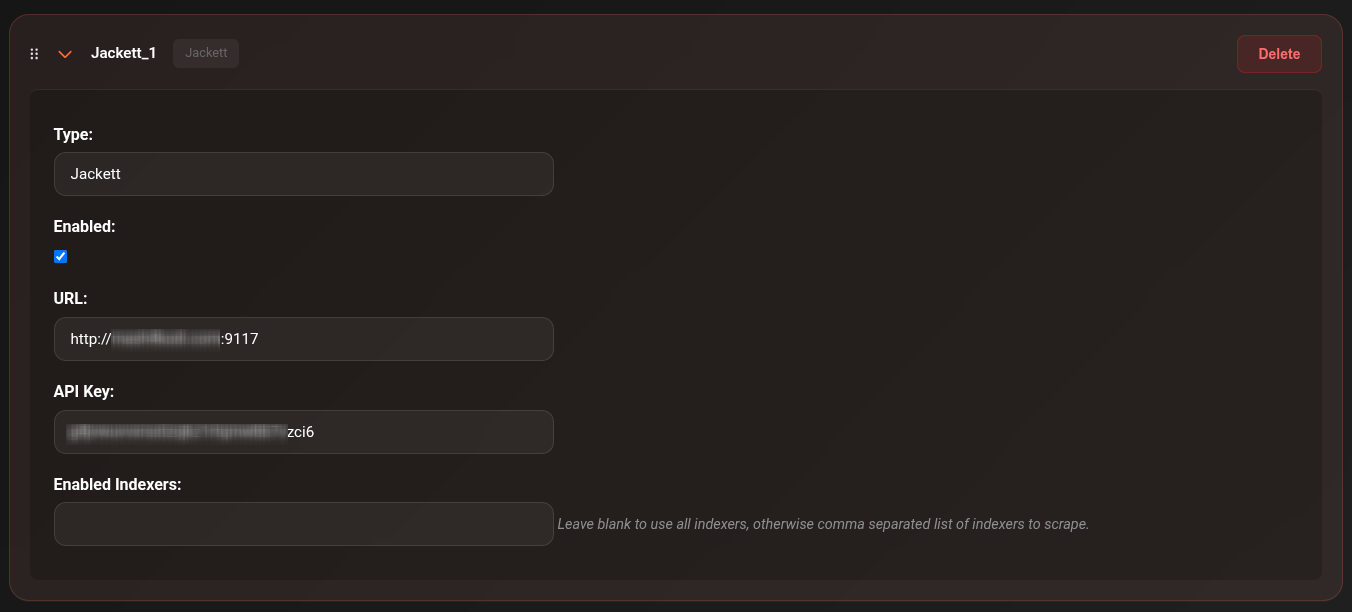
- Go to Settings → Scrapers
- Click Add Scraper → select Jackett
-
Fill in:
Field Value URL http://YOUR_JACKETT_IP:9117API Key Copied from the Jackett dashboard Seeders Only ☑ Recommended — skip results with no seeders -
Toggle Enabled on
- Click Save Settings
Notes
- Jackett searches all your configured indexers simultaneously
- Results include both public and private tracker results depending on your indexers
- Private tracker results require your account credentials to be configured in Jackett
- Enable Seeders Only to avoid dead torrents
Troubleshooting
Jackett returning no results
- Check the Connections page — is Jackett reachable from CLI_Debrid?
- Verify the API key is correct
- In Jackett, manually test an indexer search to confirm it's working
- Check that at least one indexer is configured in Jackett