Install on Unraid
Choose your preferred installation method below. All methods install the same CLI_Debrid docker — pick whichever you're most comfortable with.
After installing, continue to the integration guides:
- Zurg + rclone or Decypharr — mount your debrid library
- Plex or Jellyfin — add Debrid libraries
- Seerr — content requests
Prerequisites
Regardless of method, you need:
- Unraid 6.10 or later
- A paid debrid account (Real-Debrid, AllDebrid, Premiumize, Torbox, or Debrid-Link)
- Plex or Jellyfin installed
Installation methods
The simplest method — installs with a pre-configured template.
Step 1 — Open Community Applications
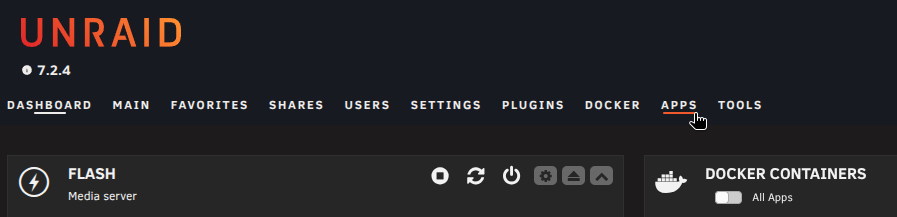
In the Unraid web UI, click the Apps tab.
Step 2 — Search for CLI_Debrid
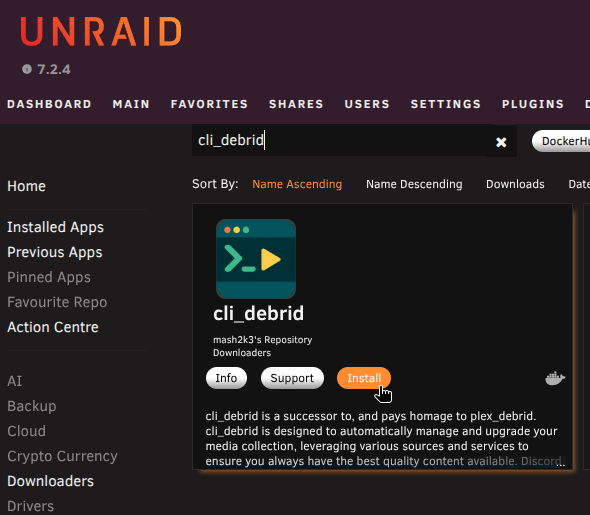
Type CLI_Debrid in the search bar and press Enter.
Step 3 — Install the template
Click Install on the template by mash2k3.
Step 4 — Configure the template
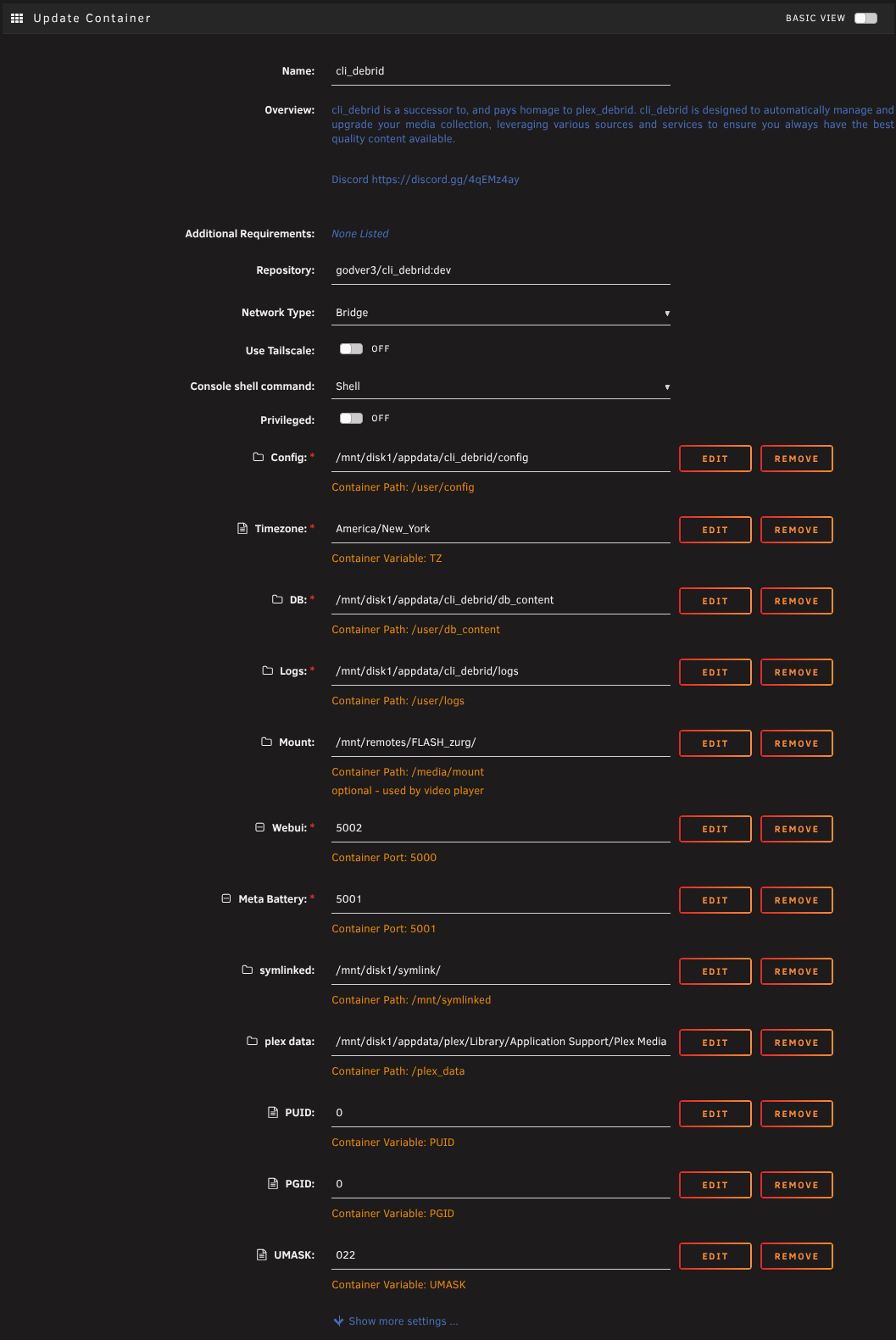
Fill in the template fields:
| Field | Value |
|---|---|
| Docker Image | godver3/cli_debrid:dev |
| WebUI Port | 5000 |
| DB Content Path | /mnt/cache/appdata/cli_debrid/db_content → /user/db_content |
| Config Path | /mnt/cache/appdata/cli_debrid/config → /user/config |
| Logs Path | /mnt/cache/appdata/cli_debrid/logs → /user/logs |
| Media Mount | Your debrid mount path (e.g. /mnt/cache/zurg for Zurg, /mnt/data/debrid for Decypharr) → /mnt |
| Timezone | Your local timezone e.g. America/New_York |
Use the :dev tag
Make sure the image is godver3/cli_debrid:dev. The :latest tag does not include all features or receive new feature updates.
Step 5 — Apply
Click Apply. Unraid pulls the image and starts the container.
Use this method if you prefer managing containers with Docker Compose files on Unraid.
Step 1 — Install Compose Manager
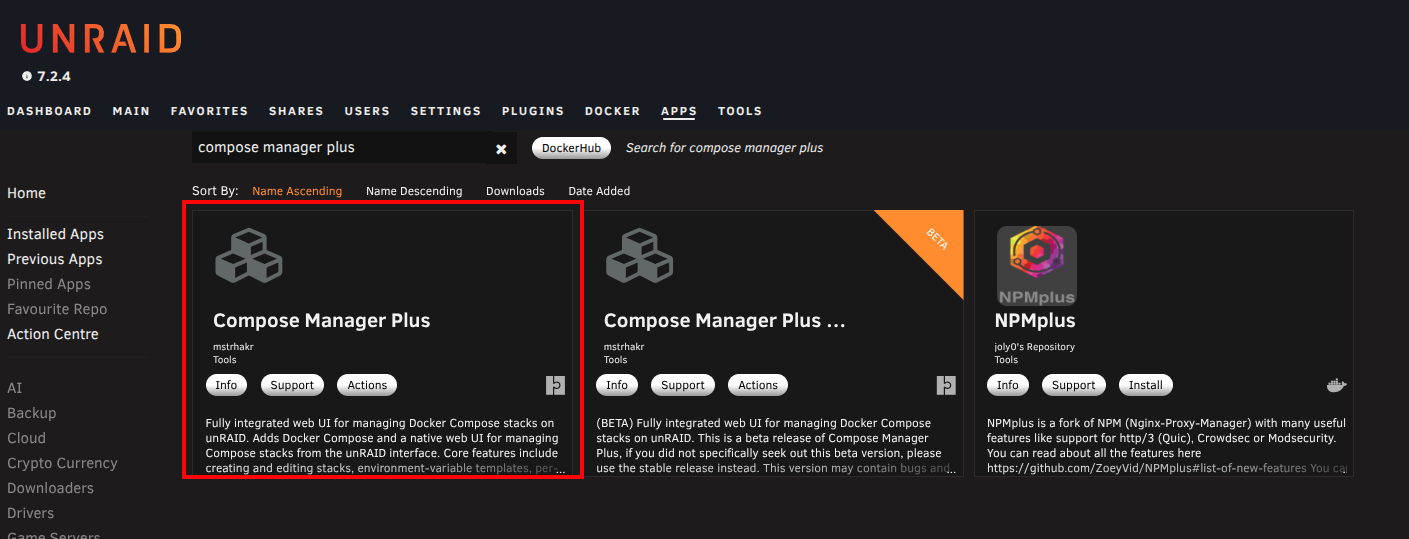
In Community Applications, search for and install the Compose Manager Plus plugin.
Step 2 — Create a new compose project
Go to Settings → Docker Compose and click Add New Stack.
Name it cli_debrid.
Step 3 — Paste the compose file
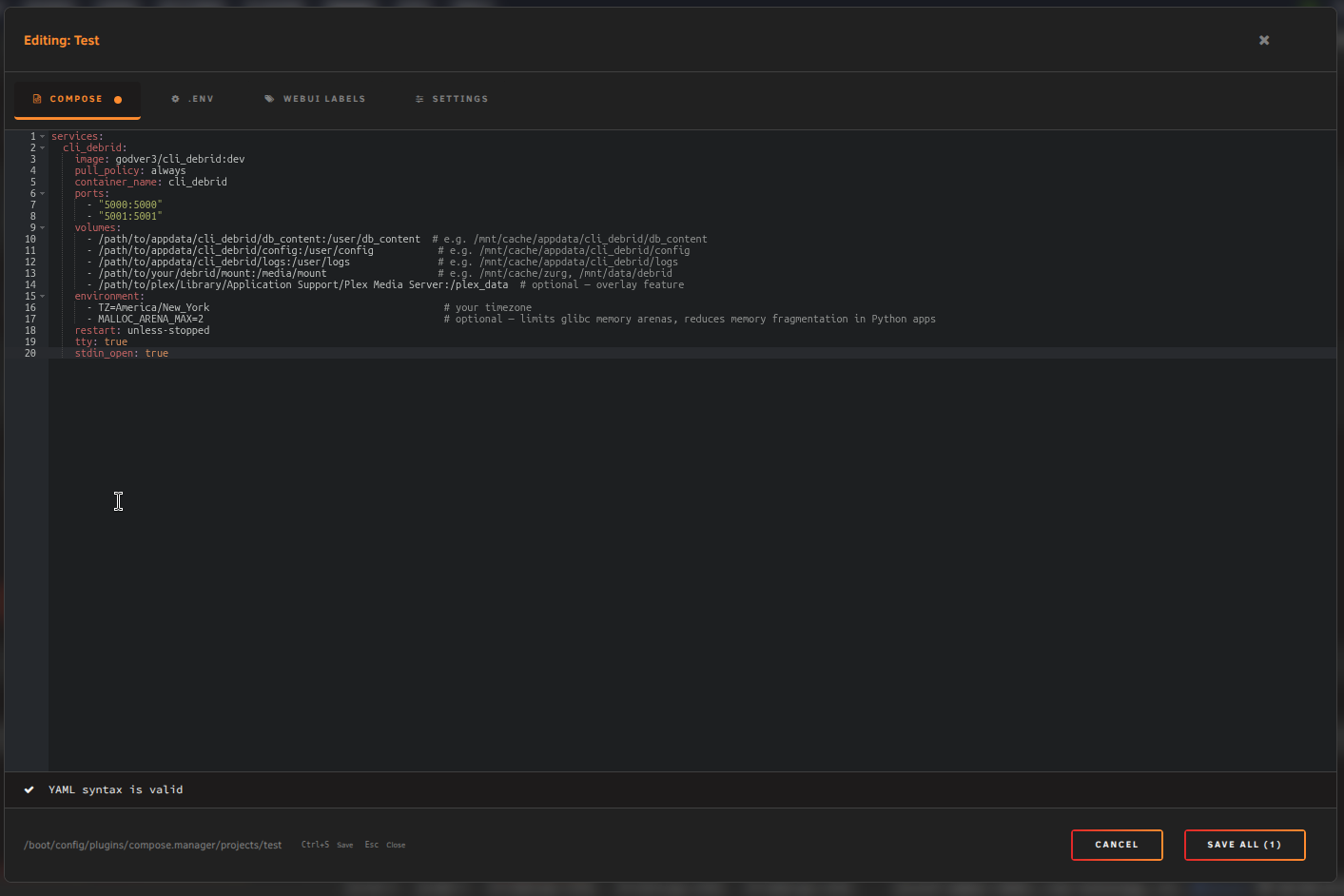
Click the Edit icon on your new stack and paste:
services:
  cli_debrid:
    image: godver3/cli_debrid:dev
    pull_policy: always
    container_name: cli_debrid
    ports:
      - "5000:5000"
      - "5001:5001"
    volumes:
      - /path/to/appdata/cli_debrid/db_content:/user/db_content  # e.g. /mnt/cache/appdata/cli_debrid/db_content
      - /path/to/appdata/cli_debrid/config:/user/config           # e.g. /mnt/cache/appdata/cli_debrid/config
      - /path/to/appdata/cli_debrid/logs:/user/logs               # e.g. /mnt/cache/appdata/cli_debrid/logs
      - /path/to/your/debrid/mount:/media/mount                   # e.g. /mnt/cache/zurg, /mnt/data/debrid
      - /path/to/plex/Library/Application Support/Plex Media Server:/plex_data  # optional — overlay feature
    environment:
      - TZ=America/New_York                                        # your timezone
      - MALLOC_ARENA_MAX=2                                         # optional — limits glibc memory arenas, reduces memory fragmentation in Python apps
    restart: unless-stopped
    tty: true
    stdin_open: true
services:
  cli_debrid:
    image: godver3/cli_debrid:dev
    pull_policy: always
    container_name: cli_debrid
    ports:
      - "5000:5000"
      - "5001:5001"
    volumes:
      - /path/to/appdata/cli_debrid/db_content:/user/db_content  # e.g. /mnt/cache/appdata/cli_debrid/db_content
      - /path/to/appdata/cli_debrid/config:/user/config           # e.g. /mnt/cache/appdata/cli_debrid/config
      - /path/to/appdata/cli_debrid/logs:/user/logs               # e.g. /mnt/cache/appdata/cli_debrid/logs
      - /path/to/your/debrid/mount:/media/mount                   # e.g. /mnt/cache/zurg, /mnt/data/debrid — must match media server
      - /path/to/your/symlinks:/mnt/symlinked                     # e.g. /mnt/disk1/TVShows — must match media server
      - /path/to/plex/Library/Application Support/Plex Media Server:/plex_data  # optional — overlay feature, Plex only
    environment:
      - TZ=America/New_York                                        # your timezone
      - MALLOC_ARENA_MAX=2                                         # optional — limits glibc memory arenas, reduces memory fragmentation in Python apps
    restart: unless-stopped
    tty: true
    stdin_open: true
Unraid pool paths
Use the actual pool path (e.g. /mnt/cache/appdata), not /mnt/user/.... This avoids array startup issues.
Step 4 — Start the stack
Click Compose Up to pull the image and start the container.

First launch
Once the container is running, open the web UI at:
Phalanx DB prompt: On first launch you will see a prompt about Phalanx DB. Select No — Disable unless you specifically want this feature.
The onboarding wizard will then guide you through initial setup. See Required Settings for what you'll need ready.
Updating
See the Updating guide for all update methods.
Next steps
- Mount your debrid library: Zurg + rclone or Decypharr
- Set up your media server: Plex or Jellyfin
- Set up Seerr — let users request content