MediaFusion
MediaFusion is a configurable torrent source aggregator. Unlike Torrentio, you configure it through a web UI before adding it to CLI_Debrid — this lets you pick exactly which sources, resolutions, and providers to include.
Step 1 — Generate your MediaFusion URL
-
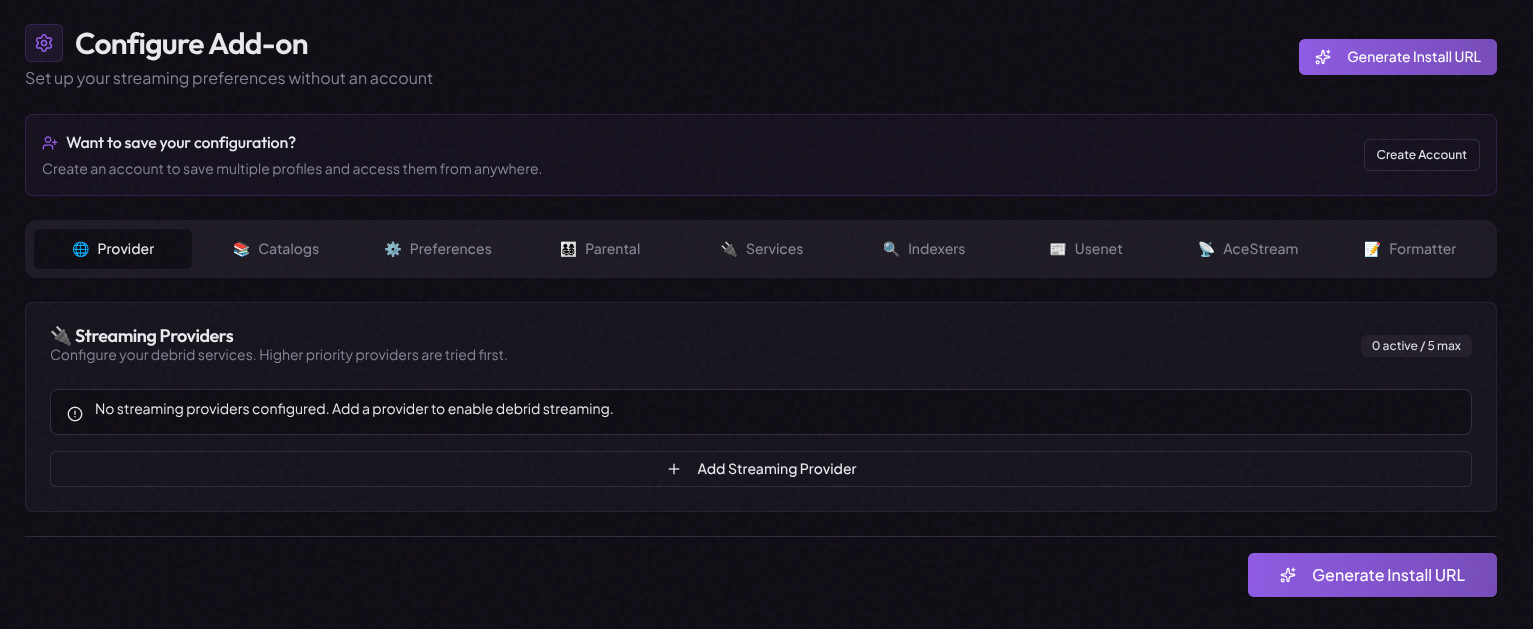
Go to mediafusion.elfhosted.com/configure
-
Configure your preferences:
Setting Recommendation Streaming providers Select your debrid provider (Real-Debrid, etc.) Quality Select 1080p and/or 4K depending on your versions Catalogs Enable the content types you want (Movies, TV) -
Scroll to the bottom and click Install or Copy URL — this copies your personalised MediaFusion configuration URL to your clipboard

Step 2 — Add to CLI_Debrid
- Go to Settings → Scrapers
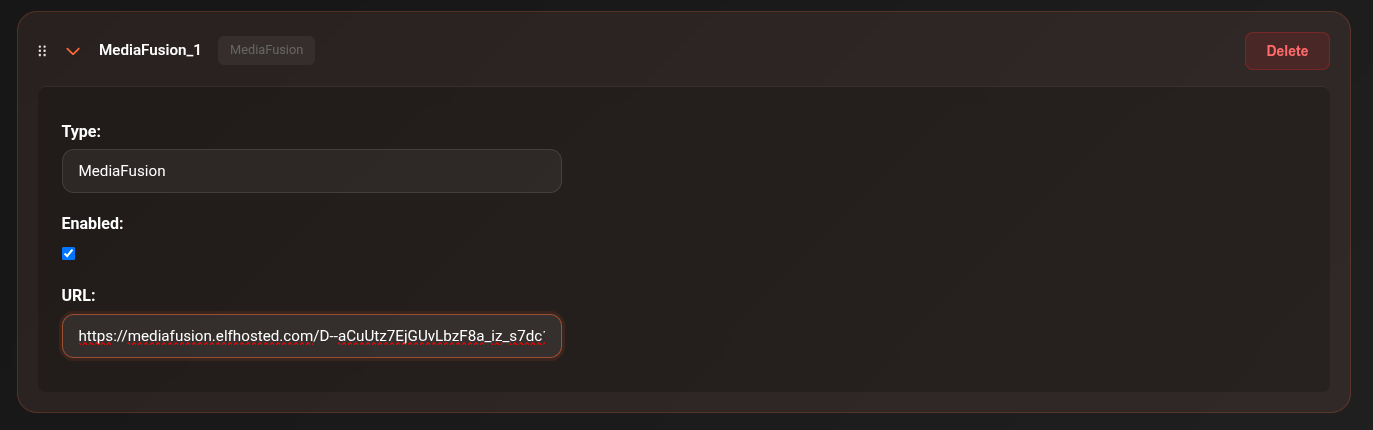
- Click Add Scraper → select MediaFusion
- Paste the URL you copied from the MediaFusion configurator into the URL field
- Toggle Enabled on
- Click Save Settings
Updating your configuration
If you want to change your MediaFusion settings (e.g. add more sources or change quality):
- Go back to mediafusion.elfhosted.com/configure
- Adjust your settings
- Copy the new URL
- In CLI_Debrid, edit the MediaFusion scraper and replace the URL
- Save
Notes
- MediaFusion supports Real-Debrid, AllDebrid, Premiumize, Torbox, and Debrid-Link
- You can run multiple MediaFusion scrapers with different configurations (e.g. one for 1080p, one for 4K)
- The URL contains your debrid credentials encoded — do not share it publicly
Troubleshooting
No results from MediaFusion
- Verify the URL is complete and was copied correctly (it should be long — over 100 characters)
- Check the Connections page to see if MediaFusion is reachable
- Regenerate the URL from the configurator and update the scraper
Wrong quality results
- Regenerate your URL with different quality settings selected